
Look beyond a job title
Open a job listing to understand the role, organization and workplace type. Review the education and experience requirements shown by the employer, then read the description to decide whether the opportunity fits your skills.
Jobs
Explore roles and understand their requirements before applying. For organizations, create a profile and post opportunities for people to discover.
Get BalanGo ↗Available for iPhone and Android
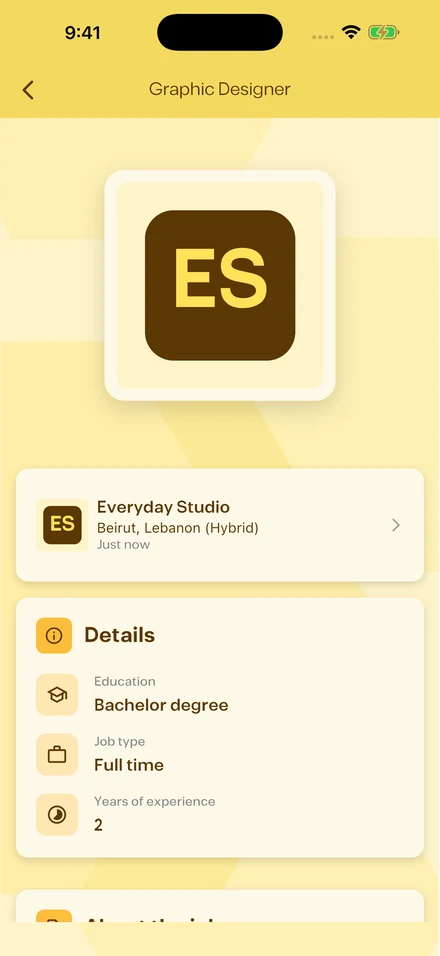
Actual app screens. Illustrative sample content.
Open a job listing to understand the role, organization and workplace type. Review the education and experience requirements shown by the employer, then read the description to decide whether the opportunity fits your skills.
The app lets you continue from a job listing into its application flow. Prepare your resume and any requested answers before submitting. Use your account to follow your applications and related activity. Requirements depend on the job posted by the organization.
Organizations can create a profile and post jobs with the information applicants need. Describe the role, workplace, experience and relevant skills accurately. Keep the listing current and review applications through the app.
Browse products, find services, explore job opportunities and discover events. You can also create a shop, list a service, post a job or organize an event.
BalanGo is available on the Apple App Store for iPhone and on Google Play for Android. Check the store listing for your device’s current compatibility.
Yes. BalanGo supports English and Arabic. The Arabic app experience uses a right-to-left layout.
You can explore the marketplace before signing in. Create an account to contact people, place requests or manage your own listings and activity.
Contact the BalanGo team through our contact page or email the support address listed there.